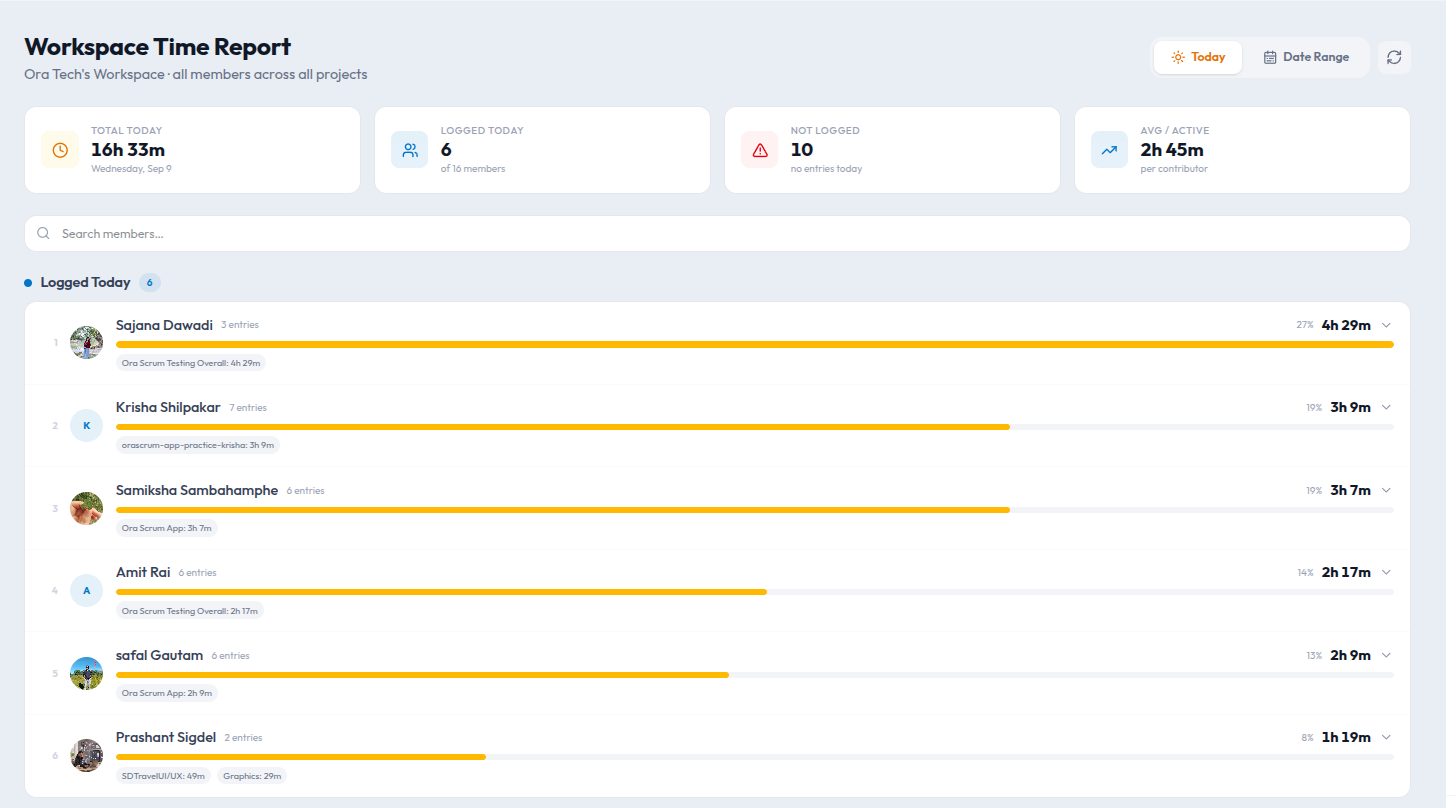
Time tracking has a reputation problem. Ask a developer to log hours and you get eye-rolls, padded numbers, and a spreadsheet nobody trusts. Ask a manager why they want it and the honest answer is usually "so I can tell what the team is working on." Both sides are right. This is how we built time tracking in Kydero so that it answers the manager's question without turning into surveillance.
Start from the task, not the clock
The mistake most tools make is treating time as the primary object: a timer you start, a day you fill. In Kydero the primary object is the task. You press play on the task you are working on, and the timer follows it. Switching tasks switches the timer. The log that falls out of this is not "8 hours on Tuesday", it is "3 hours on the checkout bug, 2 on the sprint review deck, 1 in refinement".
That distinction matters because the second kind of record is useful to the person who made it. It shows where the week actually went, which is the only reason anyone keeps a log voluntarily.
Three rules that keep it honest
- Timers stop themselves. A timer left running overnight auto-stops at the end of the workspace's day, in the workspace's own time zone. Nobody has to explain a 19-hour entry.
- Entries are editable, and edits are visible. People forget to start timers. They can add or fix entries by hand, and the entry shows it was adjusted. Trust comes from transparency in both directions.
- Presence is separate from time. "Online" is not "working", and "working" is not "billable". Kydero keeps presence (are you around?), attendance (did you check in today?) and task time (what did you spend it on?) as three different signals, so none of them gets misread as the others.
What managers actually get
The Team time view answers the real question in one screen: for the sprint, how did hours split across projects and people, and where is the gap between estimate and actual. That is a planning tool, not a policing tool. When a story estimated at 3 points keeps eating two days, the conversation is about the estimate, not the person.
If a report makes people log less accurately, it was the wrong report.
Workspace time rolls the same numbers up across teams for owners, which is where capacity planning and client invoicing come from.
How to roll it out without a revolt
- Explain the question you are answering. "We want to see where estimates are wrong" lands very differently from "we want to see your hours".
- Start with one project. Pick the one where planning hurts most and run two sprints. Review the estimate-versus-actual chart together at the retro.
- Never rank people by logged hours. The moment hours become a leaderboard, the data becomes fiction.
- Let people see their own week first. My Time is private to the person; the team view aggregates. Give the individual view a head start of a sprint or two.
The short version
Track tasks, not people. Stop timers automatically. Keep presence and time apart. Use the numbers to fix estimates, never to grade effort. Do that and time tracking stops being a tax and starts being the most honest planning input your team has.