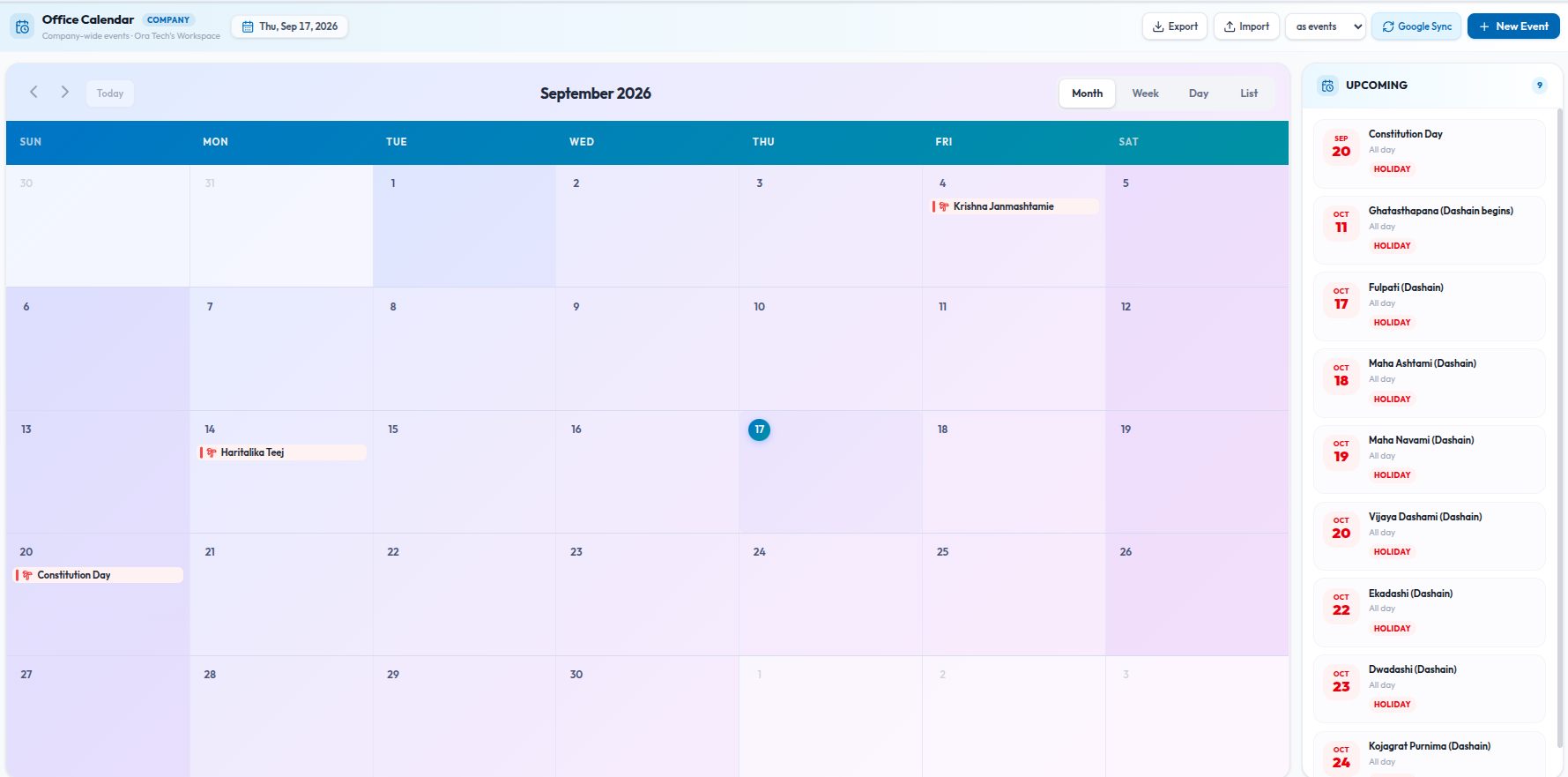
Every office has the same three questions on repeat. Is Friday a holiday? What time is the all-hands? Whose birthday is it, and did anyone get a cake? The answers usually live in a WhatsApp group, a spreadsheet someone made two years ago, and one person's memory. The office calendar in Kydero exists so those answers live in one place that everyone already opens.
This is a walkthrough of how we set it up for our own team, what each part is for, and the two or three habits that make it stick.
What goes on it
The office calendar is separate from personal appointments. It is the company's calendar: the things that are true for everyone in the workspace. Each entry has a type, and the type is what makes the calendar readable at a glance.
- Holiday — the office is closed for a public holiday. Shows as a whole day.
- Office closure — closed for a reason that is not a holiday: a move, a power cut, an offsite.
- Meeting — company or department meetings with a start and end time.
- Event — celebrations, launches, the annual picnic.
- Birthday — for people who are not on the system, or for the office dog.
- Other — everything else.
Colleagues' own birthdays do not need an entry. If someone has set their birthday on their profile, the calendar shows it automatically and the morning digest mentions it. Nobody has to maintain a birthday list.
Who can change it
Everyone in the workspace can see the calendar. Owners, admins and leads can add and edit entries. That split is deliberate: a calendar that anyone can edit becomes a place where meetings quietly move, and a calendar only one person can edit goes stale the week they are on leave.
Three views, one list
You can look at the calendar by month, by week, or as a plain list of what is coming up. The list is the one most people end up using on a phone: it answers "what is happening this week" without any scrolling around a grid. Whole-day items like holidays sit at the top of their day; timed items show their hours.
The 7 AM digest
This is the part that changed our mornings. At 7 AM in the workspace's own time zone, everyone gets one message: today's events, any holiday or closure, and whose birthday it is. It arrives as a notification in the app, as a push on the phone, and as an email. One message, once a day, only on days where there is something to say.
New entries also notify the whole workspace when they are created, so a meeting added on Tuesday for Thursday is not a surprise on Thursday.
Time zones, done properly
We are in Nepal, which is UTC+5:45, an offset that breaks a surprising amount of software. The calendar stores every entry with a time zone and decides "today" using the workspace's local date, not the server's. A holiday saved for the 20th is announced on the morning of the 20th where you are, not the evening before because a server in Europe thought the day had started. If your team is spread across countries, each entry carries its own zone and the calendar shows it in yours.
Getting the year's holidays in
Nobody wants to type 30 public holidays by hand. The calendar imports a CSV: a header row with title, start_time, end_time and all_day, and optional description and location. Most government holiday lists can be pasted into that shape in a few minutes. There is a matching export, so the calendar can go back out to a spreadsheet or to whoever does payroll.
Google Calendar, once, for everyone
If the company already keeps a shared Google Calendar, an owner or admin connects it once for the whole workspace. Events from that calendar are pulled into the office calendar, so people who live in Google keep their habit and people who live in Kydero see the same things. This is a single, shared connection, which is different from the personal Google Calendar link each person can set up for their own client appointments.
The habits that make it work
- Import the holidays in January. Ten minutes, then the "is it a holiday?" question is gone for the year.
- Put closures on the calendar before the announcement. The digest does the announcing.
- Ask people to set their birthday on their profile. It is one field, and it makes the digest a little more human.
- Keep personal appointments out of it. Client meetings belong in the CRM's appointments, where they get their own invites and video links. The office calendar is for things that are true for everyone.
None of this is clever. That is the point. The calendar earns its place by being the one screen where the boring, shared facts about the office are always right.