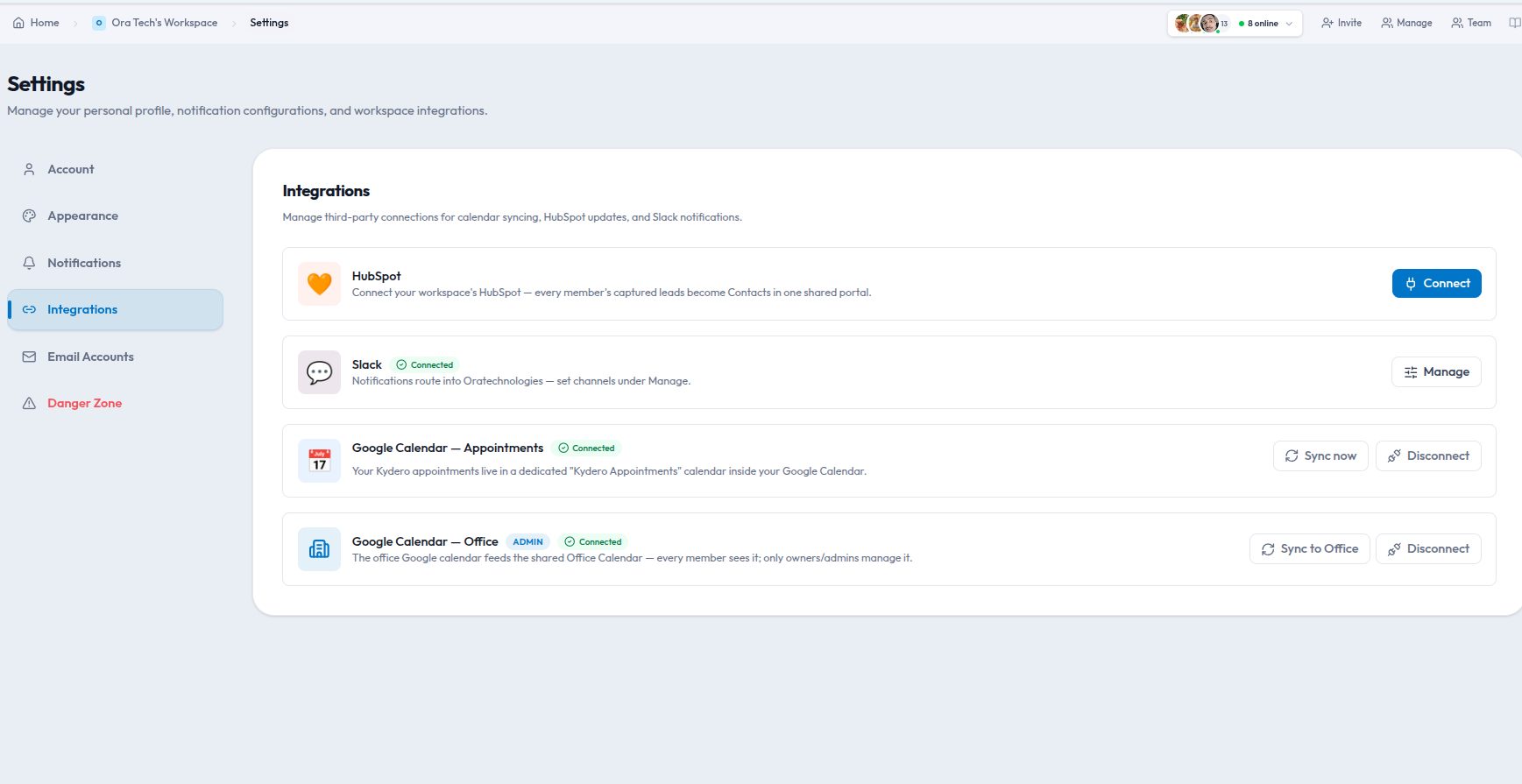
Every team runs on more than one tool, and the seams between them are where work gets lost: the pull request nobody linked to the ticket, the lead that never reached the CRM, the meeting that was booked in a calendar the project never saw. Kydero's integrations exist to close those seams. Here is what each one does, and the setup that gets the most out of it.
GitHub: commits and pull requests that find their task
Connect a repository and reference a task key in a branch name, commit message or pull request title, for example KYD-142 fix checkout total. Kydero links the commit or PR to that task automatically, shows the PR status on the card, and moves the task when the PR merges if you enable that rule. Developers keep working in Git; the board keeps itself current.
Setup tip: turn on the project key prefix for every project first. Without keys there is nothing for the webhook to match.
Slack: notifications where the conversation already is
The Slack integration mirrors the events you choose into a channel: task assignments, mentions, due-date reminders, sprint start and end, and card engagement (someone scanned your business card, someone booked a meeting). Each workspace picks its own channel and its own set of events, so a sales channel gets card and lead activity while an engineering channel gets sprint events.
Setup tip: start with two events, mentions and due-date reminders. Add more only when someone asks. A channel that posts everything gets muted within a week.
HubSpot: one CRM of record
If your marketing team lives in HubSpot, Kydero's CRM syncs leads and contacts outward when they change. The sync is one-way and additive: Kydero creates and updates, and never deletes anything in HubSpot. A lead captured from a business card at a trade show shows up in HubSpot minutes later with the source recorded.
Setup tip: map pipeline stages before you connect. A "Qualified" stage in Kydero should mean the same thing as the HubSpot lifecycle stage it maps to.
Google Calendar: appointments that book themselves
Appointments booked through a business card or a CRM lead land in a dedicated "Kydero Appointments" calendar on your Google account, with a Meet link created at booking time. Reschedules update the same event, and the invitee gets the invitation and reminder emails from Kydero. The office calendar (holidays, team events, birthdays) publishes a subscription feed you can add to any calendar app.
Setup tip: connect the calendar from Settings before enabling booking on cards, so the first booking already has somewhere to go.
Apple Wallet and Google Wallet: the card in the pocket
A digital business card can be added to Apple Wallet or Google Wallet as a pass with the QR code on it. When you update your title or phone, the pass updates on every phone that saved it. No app install required for the person who scans it.
Choosing what to connect first
| If your pain is… | Connect first |
|---|---|
| Board never matches the code | GitHub |
| People miss assignments and deadlines | Slack |
| Leads live in two systems | HubSpot |
| Booking meetings takes five emails | Google Calendar |
| Paper cards at events | Wallet passes |
Each integration is optional, per workspace, and can be disconnected from Settings at any time; disconnecting deletes the stored tokens. Connect the one that removes your most annoying manual step, then the next.