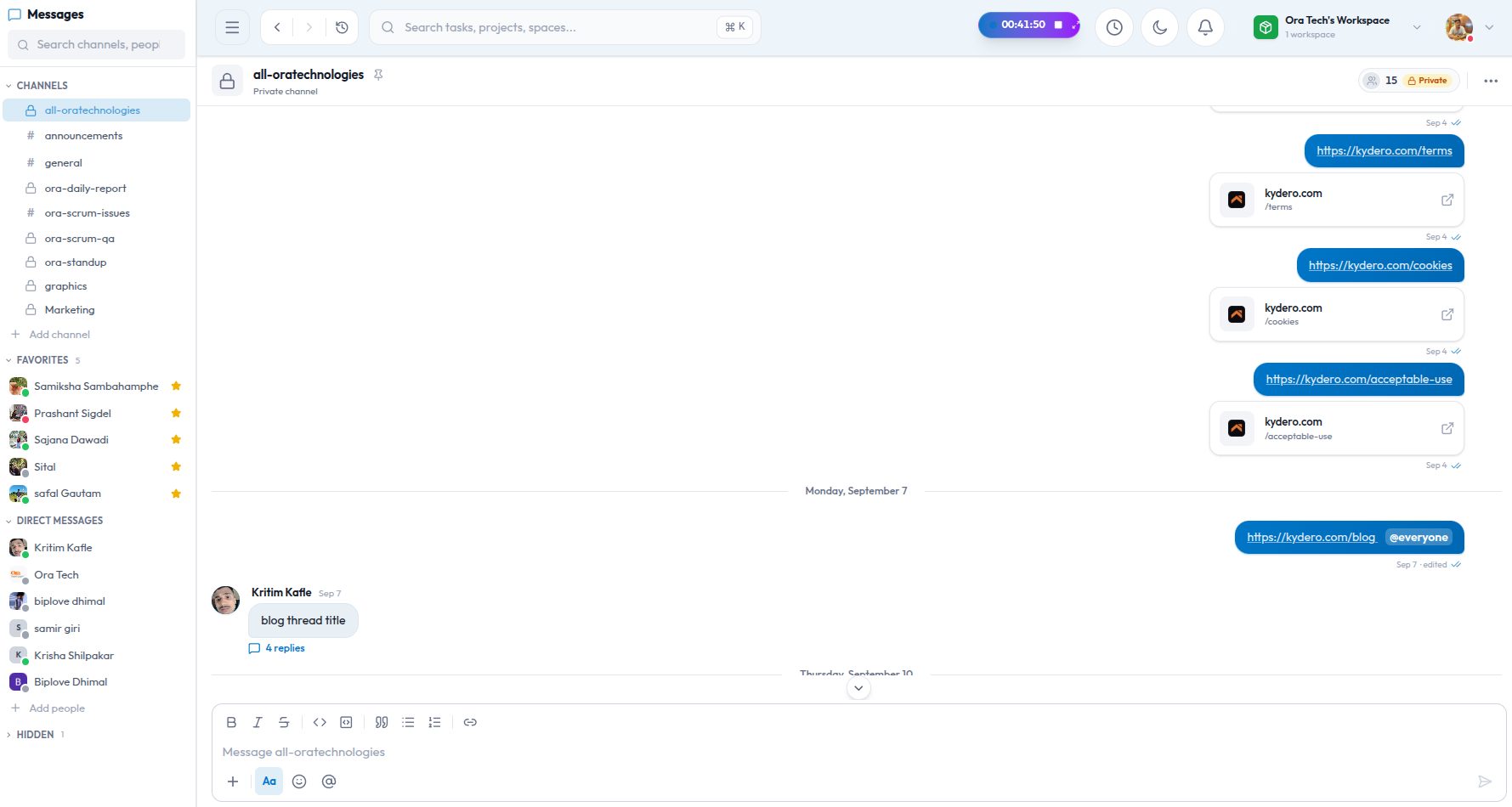
Most teams run three tools that do not talk to each other: a chat app, a task board, and GitHub. The chat app is where decisions get made, the board is where they are supposed to be recorded, and GitHub is where the work actually happens. The gaps between them are where things get lost. "Did that get merged?" "Which task was this thread about?" "Who is reviewing?"
Kydero's chat is built inside the same product as the boards and the CRM, so it can close those gaps instead of adding a fourth tool. Here is what it does, and what it deliberately does not.
The basics, done properly
Channels can be public or private. Direct messages are between two people and cannot be left, so a conversation with a colleague never disappears from one side. Add a third person to a direct message and Kydero starts a new group conversation with all three; the original one-to-one history stays private, which is how it should work and not how most tools work.
Inside a conversation you get the things you would expect: threads on any message, pins for the messages a channel keeps coming back to, emoji reactions, editing and deleting your own messages, and forwarding a message to another conversation with a visible "forwarded from" label. Forwarding attachments does not upload them again.
The composer handles formatting the way Slack does, with the same keyboard shortcuts: bold, italic, strikethrough, code, quotes, lists and links. Mention someone with @, or everyone with @everyone. Paste an image and it attaches. Videos upload in the background while you keep typing.
Where it stops being a Slack clone
Every project on the board has its own channel, and that channel is wired into the work. Two things make that real.
GitHub moves the tasks
Link a repository to a project once. From then on, anything that mentions a task key such as APP-142 in a branch name, a commit message or a pull request title is connected to that task automatically. Then:
- A pull request is opened → the task moves to your project's review column.
- The pull request is merged → the task moves to done.
- A review is approved → the project channel hears about it, with who approved what.
- Pushes are linked to the task so the trail from "someone asked for this" to "this is the commit" is one click.
The columns are your columns, not ours. Kydero looks at how your project's statuses are set up and picks the one you marked as review and the one you marked as done. If your board calls them "Code review" and "Shipped", that is where tasks go.
Nobody has to remember to drag a card after merging. The board reflects GitHub, which means it reflects reality.
Slack, when part of the team lives there
Some teams will not leave Slack, and some clients only exist there. Kydero connects one Slack workspace per Kydero workspace, with one bot and as many channels as you like. Then you decide what goes where:
- Map a project to a Slack channel and that project's task events and GitHub activity are mirrored there.
- Map a CRM pipeline to a channel and new leads, won deals and appointments for that pipeline land there.
- Choose, per notification type, whether it goes to Slack at all. Nothing is mirrored until you switch it on.
- A master switch pauses all of it without disconnecting.
This is mirroring, not migration. Kydero stays the place where the work is; Slack gets a faithful copy for the people who read it there.
Notifications that land in the right place
A mention in a thread notifies you, and opening that notification takes you into the thread itself, not to the top of the channel to go looking. The same is true on the phone app. Mentions, direct messages and channel activity each have their own sound, so you can tell what arrived without looking.
Beyond GitHub and Slack
The same idea, "connect once, then the tool does the boring part", runs through the rest of the product. Appointments in the CRM create Google Meet links and calendar invites on their own. A personal Google Calendar link keeps client meetings in sync both ways. Contacts and leads can mirror into HubSpot for teams that report there. None of these need a separate login for your teammates; an owner or admin connects them for the workspace.
What we left out on purpose
There are no video calls inside chat; Meet does that well and we link to it. There are no bots to write. The integrations we ship are the ones a small team asks for on day one, and they are configured with a few switches rather than a script. If the team is small enough to sit in one room, the chat should feel like that room, with the board and the repository on the wall.