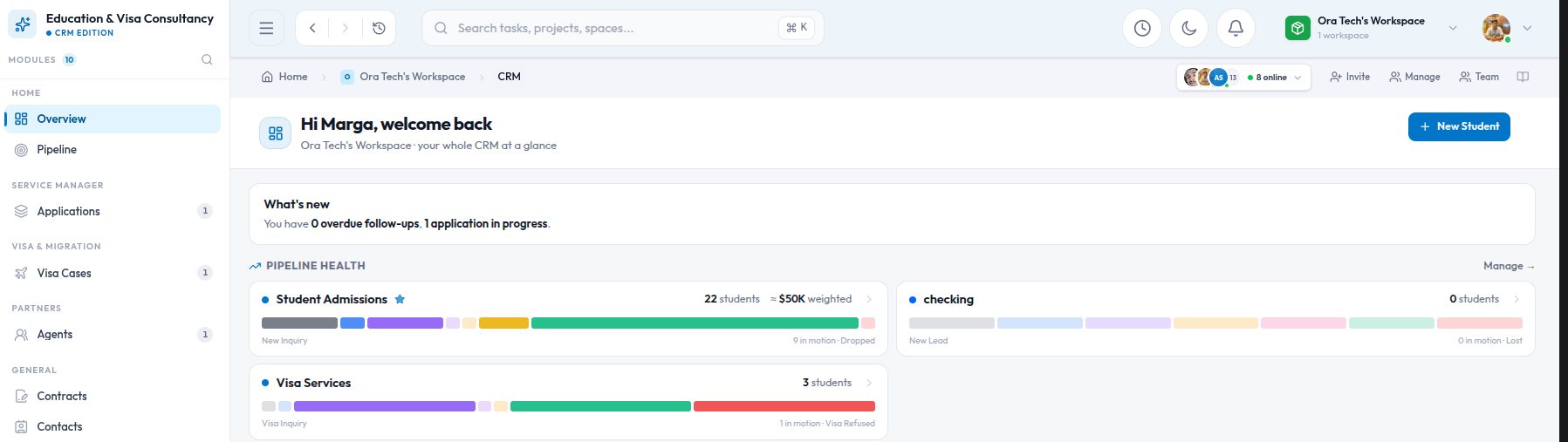
A CRM built for software sales makes no sense to a school admissions office. The stages are wrong, the fields are wrong, the word "deal" is wrong. Most products solve this by making everything configurable and leaving you to build your own CRM from parts. We took a different route with Kydero: the CRM chooses a shape based on your industry, and then lets you adjust it.
One workspace, one CRM type
When a workspace turns on the CRM it picks a type: IT services and agencies, education and admissions, real estate, or a general sales pipeline. That single choice sets the vocabulary (leads versus applicants versus buyers), the default pipelines and stages, the appointment types you can book, and the sections that appear on a lead's panel. You can change the type once, later, if you picked wrong. After that it is locked, because switching a live CRM between shapes is how data gets lost.
Stages mean the same thing everywhere
Every pipeline, whatever its labels, maps each stage to one of five universal categories: new, active, awaiting, won and lost. An admissions pipeline might call them "Enquiry, Interview, Offer sent, Enrolled, Declined"; an agency might use "Lead, Discovery, Proposal, Signed, Passed". Reports, forecasts and the all-pipelines board work on the category, so a workspace with six pipelines still gets one honest funnel.
Labels are for people. Categories are for numbers. Keep both.
Where a new lead lands
A CRM with several pipelines needs a rule for intake. Kydero has three, checked in order:
- A business card can name its own pipeline, so the sales card and the recruiting card capture into different places.
- Otherwise the workspace's intake pipeline receives every capture from public forms.
- Otherwise the default pipeline does.
And not every form fill becomes a lead. A visitor who only saves your contact card becomes a contact. A visitor who answers the qualifying question becomes a lead in stage one. That keeps the pipeline for real opportunities and the contact book for everyone else.
Lead and contact are different things
A contact is a person. A lead is an opportunity with that person, in a pipeline, at a stage. One person can have several leads over the years, and the person's details live in exactly one place. Editing an email on the lead edits it on the contact, and the change flows to HubSpot if it is connected. This sounds obvious, but a surprising number of CRMs keep two copies and let them drift.
What you can change
- Rename, reorder, add or delete stages, each with its own win probability. Deleting a stage moves its leads first.
- Create extra pipelines for other services or regions.
- Narrow the appointment types a pipeline offers, for example "campus visit" and "interview" for admissions.
- Decide whether winning a lead should create a delivery project, with the kickoff tasks from a template.
Why not just make it all configurable?
Because a blank CRM is a project, and most teams do not want a project. They want a pipeline that already speaks their language on day one and can be bent when the language differs. Industry templates get you to day one; universal stage categories mean the bending never breaks the reports.